
AI-Assisted Site Building
Building Faster with AI
TailStatic integrates directly with OpenAI to provide a suite of AI-assisted tools that speed up your site-building workflow. These tools can help with everything from initial scaffolding to writing complex Liquid code. See the OpenAI Configuration for setup details.
Core AI Features
1. Site Scaffolding
TailStatic is not a one prompt AI site builder. Rather it helps you to generate scaffolding based on your site theme and description. This gives better site generation results and more control over site customization. You can use AI to generate scaffold through AI Builder from the dashboard.
2. Component Generation
AI can quickly create page components for you. Right click on a liquid page and click Generate AI Component.
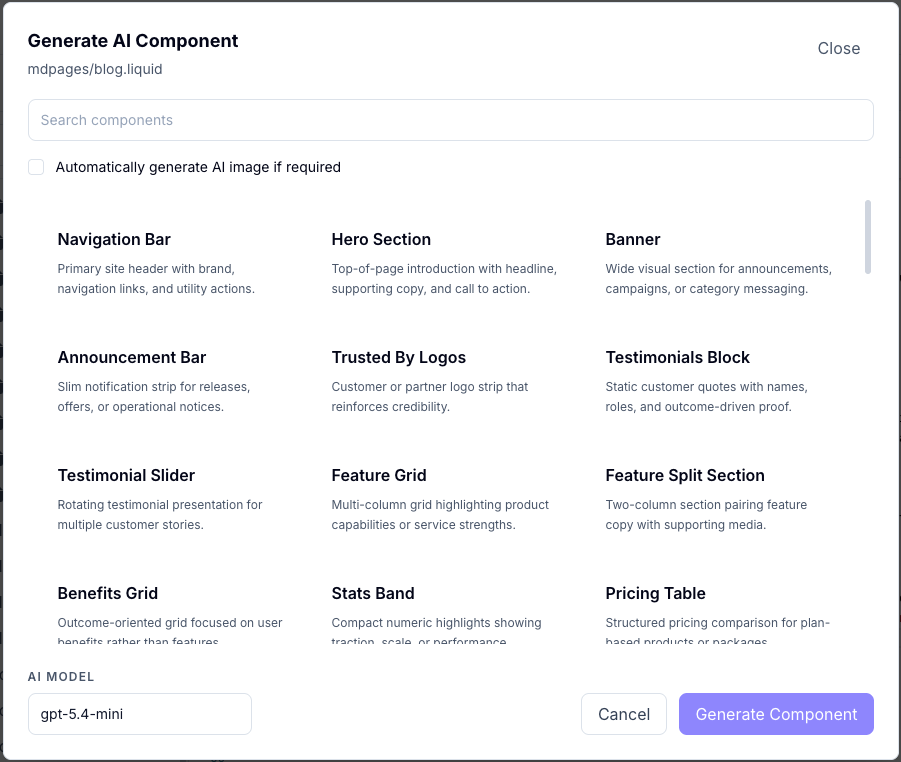
You can ask AI to create specific UI components. By providing a prompt like "Create a testimonial carousel with Tailwind styling," the AI will write the Liquid and CSS code needed to build that feature.
3. Color Palette Generation
AI can suggest harmonious color palettes based on your brand or a simple description. These palettes can then be applied globally to your site's theme.
4. Content Assistance
In the Markdown editor for pages, the AI can help you expand on ideas, rewrite sections for a different tone, or generate entire paragraphs of text based on your outline.
5. Page Modifications
You can edit any site file using AI. Click on magic wand  on top of editor to open AI popup. Write in detail the changes that you wish. Attach any additional files that may make the generation better.
The Human Review Step
AI is a powerful assistant, but it is not a replacement for human judgment. We recommend the following workflow:
- Generate: Use the AI to create a first draft or a complex code snippet.
- Review: Carefully examine the generated code and content.
- Refine: Manually adjust the output to perfectly match your site's needs.
- Preview: Use the preview to see the AI's work in action before you publish.
Prerequisites
To use these features, you must have a valid OpenAI Configuration in your application settings.